Training management
1.Server connection
You will always have to connect using your credentials and password.
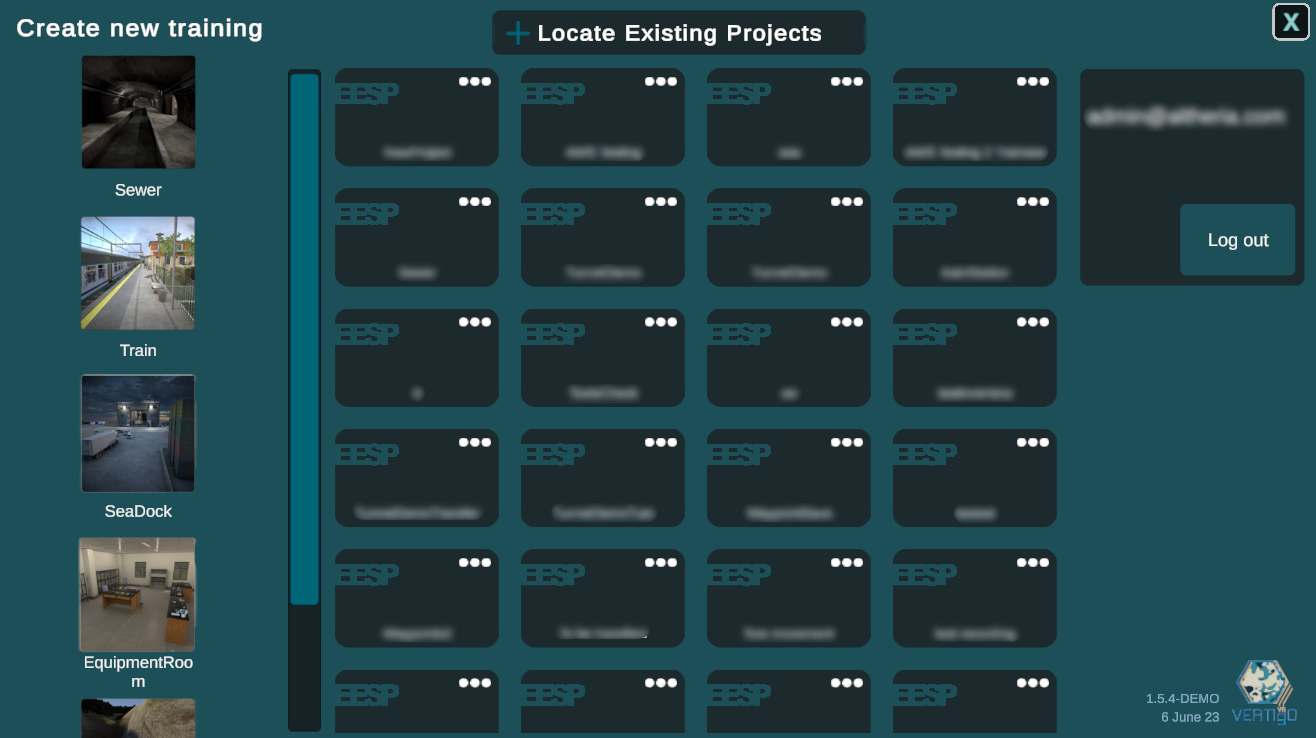
You can also log out using the button located in the right part of the training selection.
2.Create a new training
Choose environment
EESP comes with multiple environments based on potential CBRN interventions. You will start by selecting the one that suits your training.
TrainStation:
An unused train station at the edge of a city. A train had to make an emergency stop.
Multiple car trains are accessible.
Sewer: An old warehouse that is connected to a curriculum system. Inside of it you will find a clandestine laboratory.
Tunnel:
A tunnel on an highway located in a remote area in the mountain. An accident between a truck and a car occurred involving multiple cars. The road had to be closed.
SeaDock:
A dock surrounded by water. A military boat is stationed. An accident between a side curtain truck and a car occurred when they were loading. The area had to be delimited.

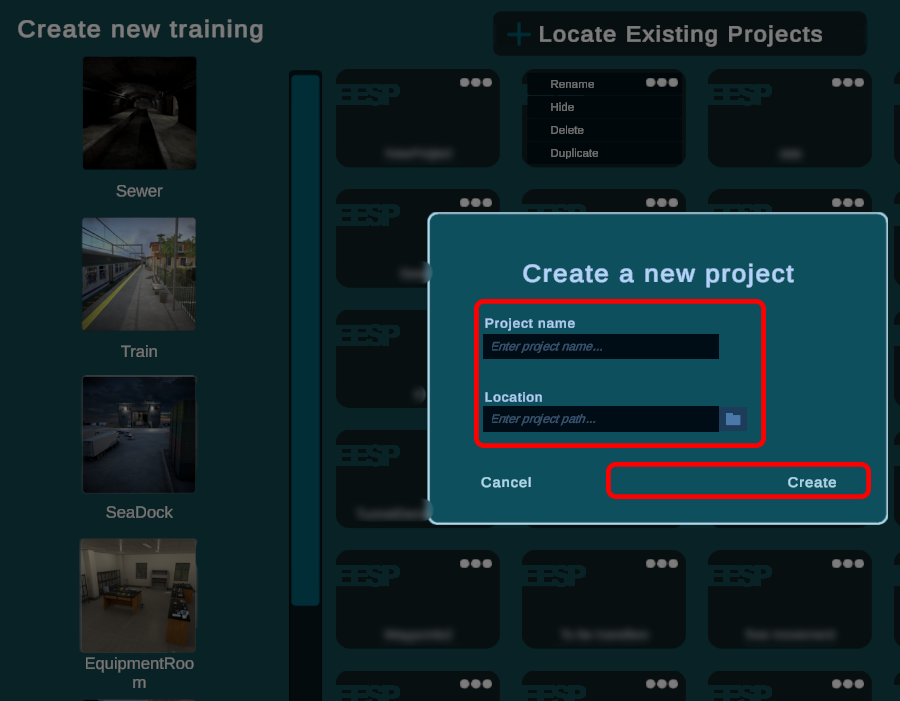
Save directory and name
The save directory is not important. The file will be saved on the server.
As for the name, we recommend that you have a structured naming convention. This will enable you to find your training using the search option and will also help other trainers. Special symbols are not allowed.
3.Edit Training
Find training
All training saved on the server on which you are will be findable. Simply click on it to launch it inside the editor. They are organized depending on the last save time.
Remove training
You might want to remove training. Press on the dots and click on remove.
